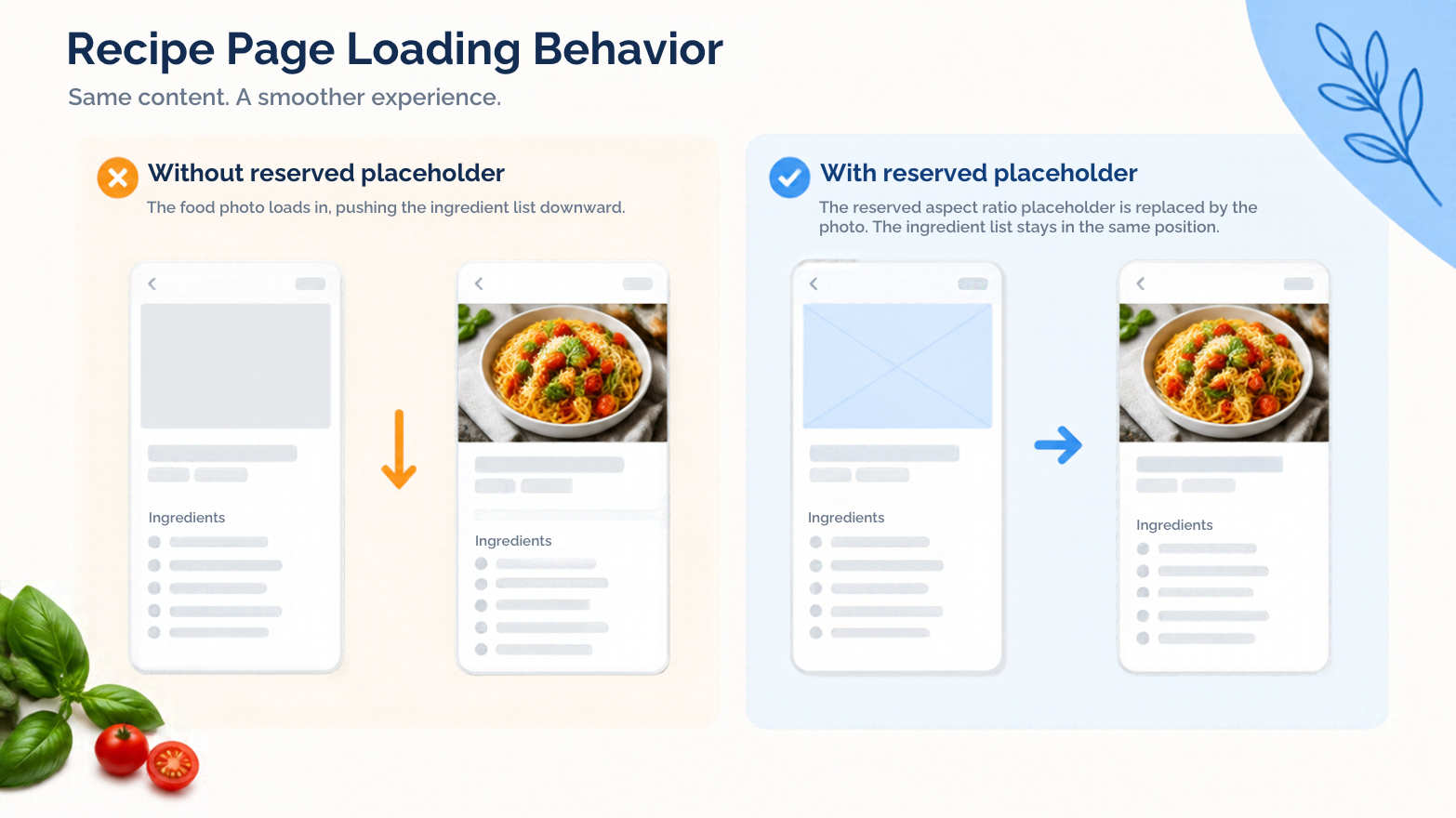
A recipe page becomes frustrating when a late image pushes the ingredient list away from your finger. Reserve the image’s layout space before worrying about decorative polish.
Start with dimensions
Give the browser a reliable aspect ratio through intrinsic dimensions or an appropriate container. Check the responsive layout rather than assuming the desktop crop will fit every viewport.
Background treatment is a separate decision
A white background for pictures can suit ingredient illustrations, but it will not prevent layout movement. Asset styling and space reservation solve different problems.
Keep enough contrast for pale ingredients and avoid putting essential quantities inside the image. Those should remain readable text even while the picture is loading.
Measure under a slow connection
The web.dev guide to optimising Cumulative Layout Shift explains common sources of unexpected movement, including images without dimensions.
Test a cold page load on a narrow viewport. Observe the ingredient list while images arrive, then inspect what moves and why. Do not rely only on an already cached desktop preview.
Keep image variants proportionally consistent with the reserved space. If art direction changes the crop, update the layout assumptions too. A stable page helps readers follow the recipe without losing their place every time another asset appears.
Try keyboard navigation during the slow load too. If the visual target keeps moving, inspect focus and page structure alongside the layout. A fixed-looking screenshot cannot show what a reader experiences while the page is still arriving.
Comments
Join the discussionNo comments yet. Be the first to comment.